Using what 2.1.0 added
As of 2026-07-27. This page is a snapshot taken at release, written so that someone who wants a feature now can get it working. For anything that changes later, follow the links to the living guide in each section.
- The app now opens on the grid
- Terminal font size
- Cockpit roster: how many lines each row shows
- PRs say which clone they came from
- The interface uses icons instead of emoji
- Outside pull requests are now closed automatically
The app now opens on the grid
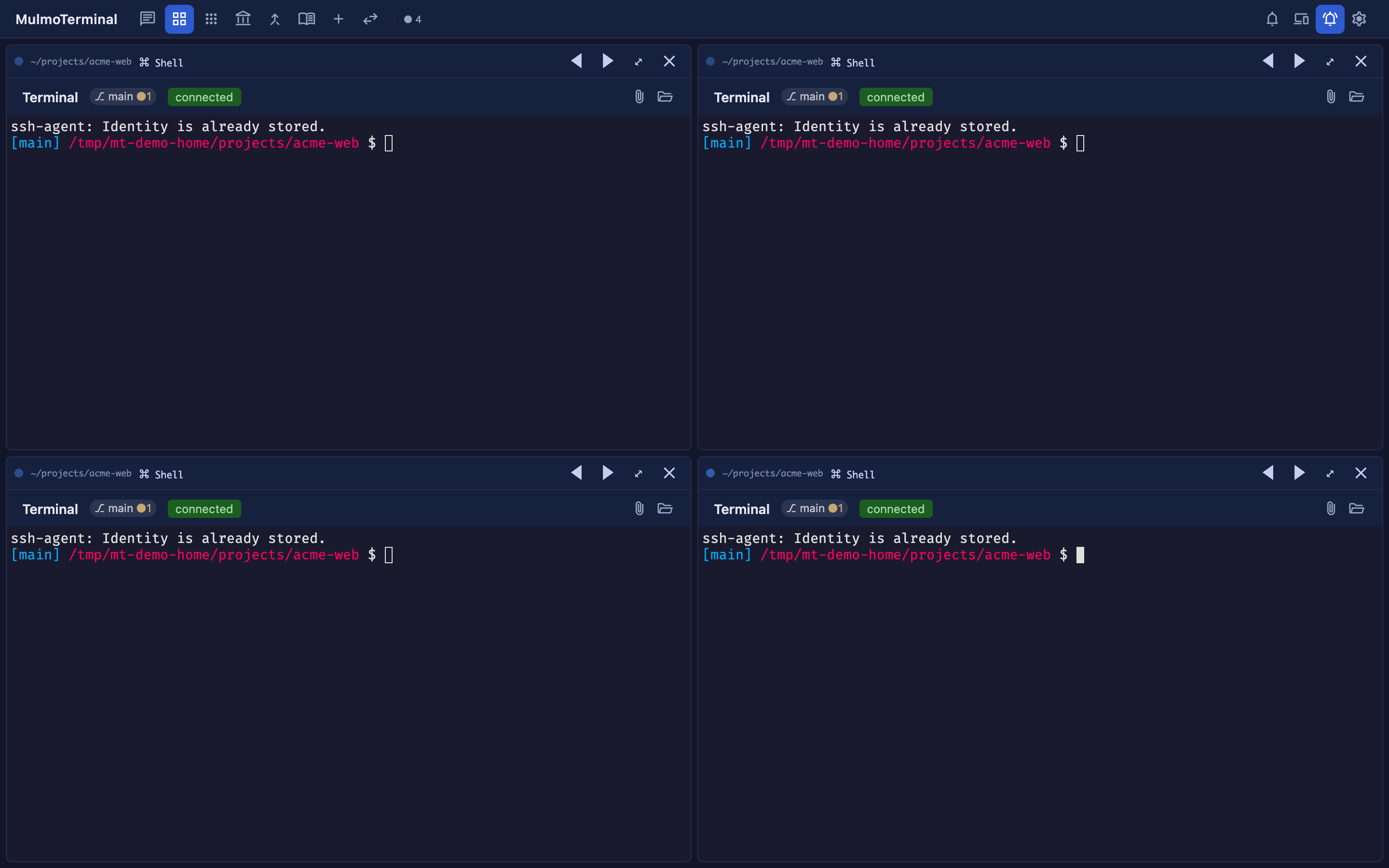
Nothing to configure — this one just happens. Open http://localhost:34567 and you land on the grid instead of the single view. The URL settles on /terminals.
The single view did not go away; it has its own address now:
| Screen | URL |
|---|---|
| Grid (the default) | / → /terminals |
| Single view | /chat |
If you would rather start on the single view, bookmark http://localhost:34567/chat. That is the whole workaround, and it is a stable URL — the chat / grid icons in the toolbar keep working as before.
Two smaller consequences worth knowing:
- A mistyped URL now lands on the grid rather than the single view.
- Opening the app no longer attaches the single view’s terminal. That session lives in tmux on the server, so nothing is lost — it comes back the moment you open
/chat.
→ Reference: Basics
Terminal font size
The terminal’s font size is adjustable — globally from Settings, and per project.
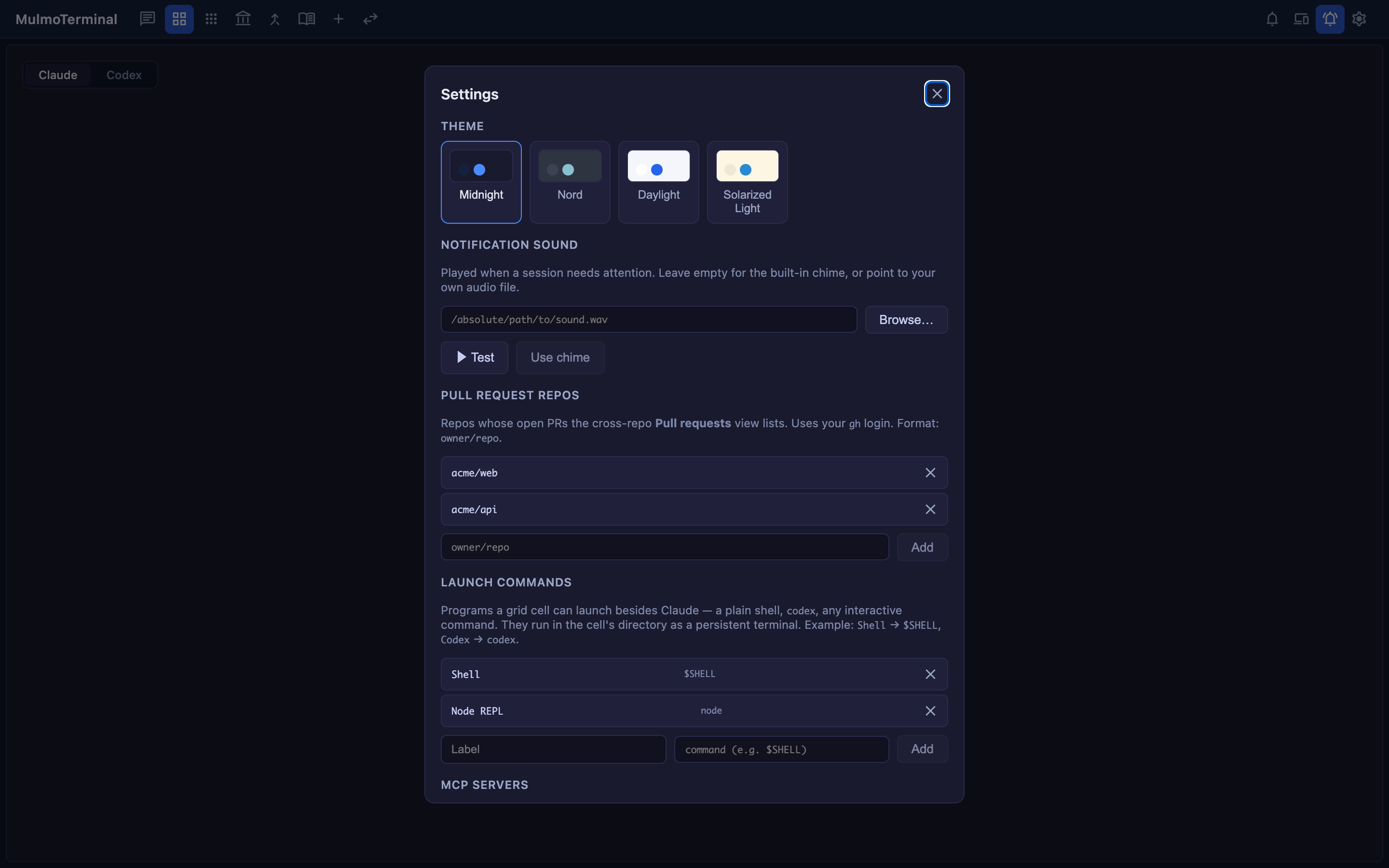
Globally: open Settings (⚙) → Terminal font size and use the stepper. It applies immediately and is remembered per browser (so a phone and a desktop pointed at the same server each keep their own size, which one shared value could not express).
Per project, in that directory’s .mulmoterminal.json:
{
  "fontSize": 16
}
A per-directory value wins over the global one for that terminal. The range is 8–32 (default 14); a number outside it is clamped, and a non-number is ignored.
Why a setting rather than browser zoom: zoom scales the page but leaves xterm’s grid and the shell disagreeing about how many columns exist, so the cursor and the wrap points drift. This path re-fits the terminal and tells the shell the new size.
→ Reference: Terminal font size
Cockpit roster: how many lines each row shows
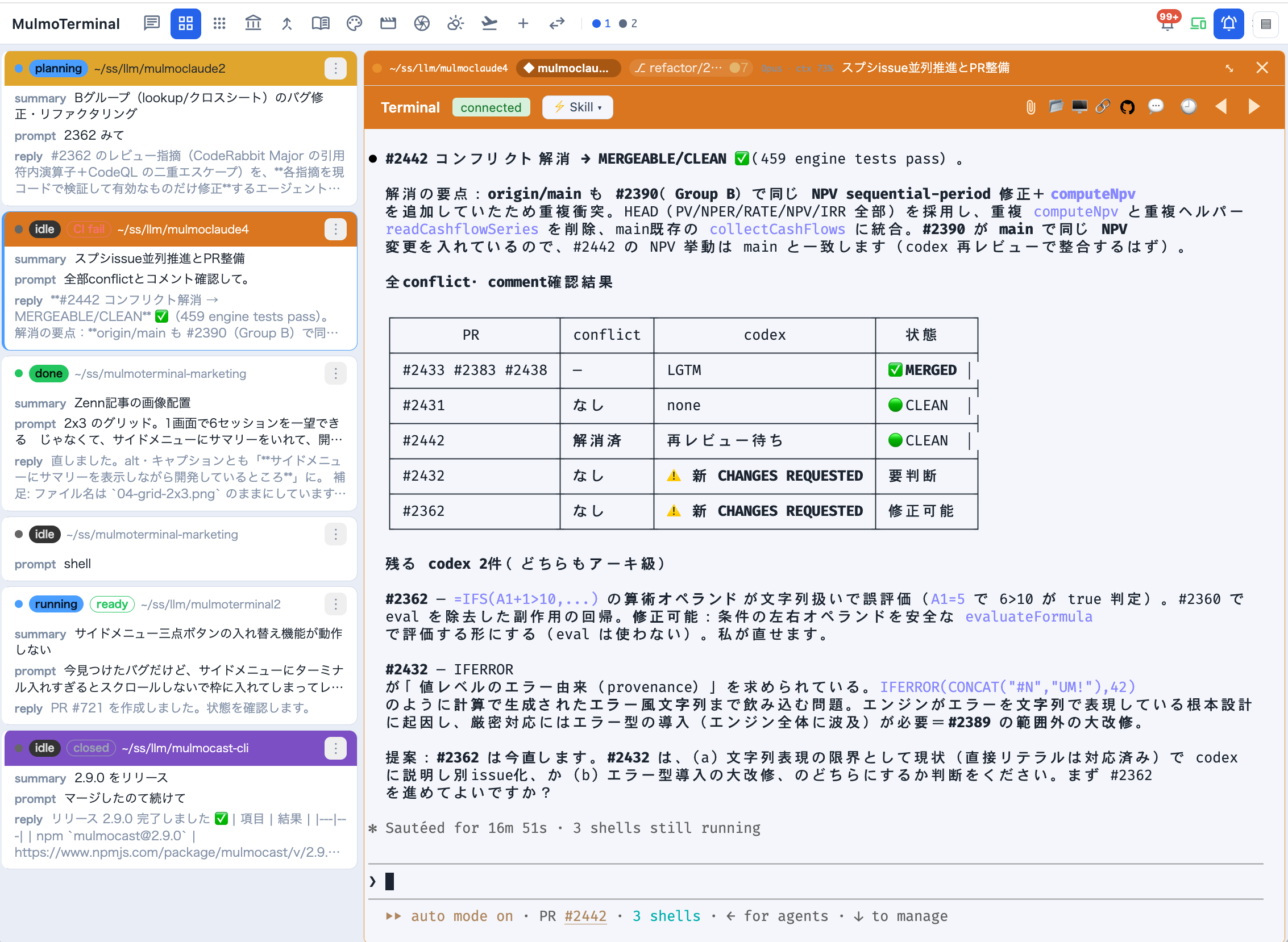
The cockpit roster — the list beside an enlarged terminal — truncates each session’s summary, last prompt, and latest reply. How many lines each of those gets is now yours to set, in ~/.mulmoterminal/config.json:
{
  "cockpitLines": { "summary": 6, "prompt": 2, "response": 3 }
}
Defaults are 2 / 2 / 3, and omitting cockpitLines keeps exactly the old behaviour. Raise summary when you want to read what an agent is doing without zooming into it; raise response when the answers you care about are longer than three lines.
Restart the server (or save from Settings) for a hand-edited config to take effect.
→ Reference: Cockpit roster line counts
PRs say which clone they came from
If you keep several checkouts of one repo side by side — myrepo, myrepo2, myrepo3 — a PR on GitHub used to say nothing about which one produced it. A PR created with ⧉ Open PR now ends its body with:
work in myrepo3
That is the name of the main checkout, not of the worktree. It is added only to PRs MulmoTerminal creates; pressing the button again on a branch that already has a PR just opens it.
On by default. To turn it off, in ~/.mulmoterminal/config.json:
{
  "prWorkdirFooter": false
}
This one takes effect on the next PR — no restart needed, because it has no Settings control and is read from the file each time.
→ Reference: Which clone made this PR
The interface uses icons instead of emoji
Every emoji in the UI is now a Material Symbols glyph — the grid cell toolbars, the overlays, the menus, the settings modal. Buttons kept their tooltips and labels, so nothing you knew how to click moved.
Nothing to configure. One thing to know if you have customised header buttons: a button in .mulmoterminal.json should now use icon with a Material Symbols name rather than emoji:
{
  "buttons": [{ "id": "build", "icon": "build", "label": "Build", "run": "shell", "cmd": "yarn build" }]
}
emoji still works and still wins when both are set, so your existing config keeps rendering exactly as it does today — there is nothing to migrate.
→ Reference: Customizing the header

Outside pull requests are now closed automatically
Repository policy, not a feature you turn on: a pull request from someone outside the development team gets a comment pointing at CONTRIBUTING.md and is closed. Issues — bug reports and feature requests — are as welcome as ever, and they are the way to get a change in: open one, agree on a plan, and a maintainer writes the PR.