4.2.0 — Self-hosted GitLab, panes that take the whole terminal, and worktrees that keep their colours
A snapshot of 4.2.0 as released on 2026-08-03. It will go out of date as the app moves on; that is fine and expected. For the reference that is kept current, follow the links to the living guide in each section.
npx mulmoterminal@latest
One thing in this release needs configuring — a self-hosted GitLab, which cannot be guessed and has to be named. Everything else starts working on upgrade.
Your company’s GitLab, in the PRs & Issues view
Until now MulmoTerminal read exactly two forges: github.com and gitlab.com. A row for gitlab.yourcompany.com got one sentence saying so, and stopped there. There was no way to tell the app that the host was a GitLab at all — a self-hosted instance is not distinguishable from any other domain by looking at it.
So you tell it. Open ~/.mulmoterminal/config.json and add gitlabHosts:
{
  "gitlabHosts": ["gitlab.yourcompany.com"],
  "prRepos": ["gitlab.yourcompany.com/group/project"]
}
Two keys, and they do different jobs. gitlabHosts says “this domain speaks GitLab”. prRepos is the list of repositories the PRs & Issues view reads, which you may already have — this is the same list, with a host in front of the path.
Restart the server after editing the file by hand. The host list is read from the configuration the server is holding in memory, so a change made through Settings applies immediately, while a hand-edited config.json is only picked up at startup. This is the same rule prRepos has always followed.
How to tell it worked. Open the PRs & Issues view. Before, the row for your host read:
gitlab.yourcompany.com is not supported yet — MulmoTerminal reads github.com and gitlab.com
Now it lists your merge requests and issues. And if you have not added the key yet, that message itself tells you which key to add and where — it was rewritten for this release, so you are not left guessing.
A declared host then goes down the same path gitlab.com does: the cross-repo lists, starting work from an issue, work comments on start and merge, and creating a merge request from the Open PR button.
You need glab, GitLab’s CLI, logged in to your instance — npx mulmoterminal doctor checks for it. gh remains required for GitHub; glab is optional until you use a GitLab repo.
What is not covered yet. A host with a port (gitlab.example.com:8443) cannot be written, because a prRepos entry has no place for a colon. Neither can an http-only instance, or GitHub Enterprise. And github.com is rejected as a value on purpose — it is an easy thing to type by mistake and an expensive one to get wrong.
There is no Settings screen for this yet; the config file is the whole interface for now.
Reference: GitHub and GitLab and configuration in the living guide.
Canvas and Tools can take the whole terminal area
A document in the Canvas used to live in whatever width was left beside the terminal. For a wide table, a Marp slide or a rendered page, that was not enough.
Enlarge a session, open the Canvas, and press the expand button in the pane’s header — the open_in_full icon at the top of the pane. The pane takes the entire row. Press it again (close_fullscreen) to go back to the split.
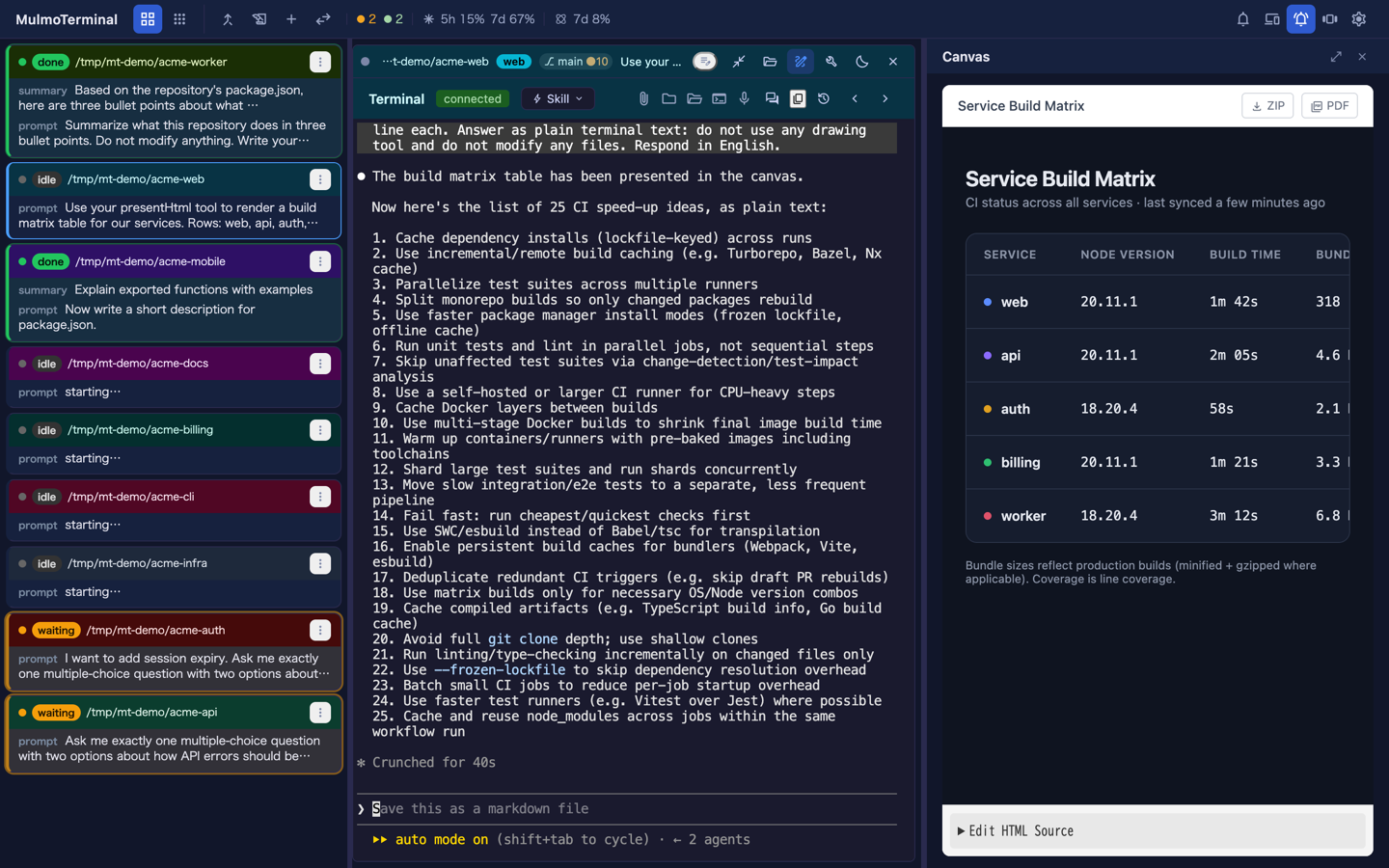
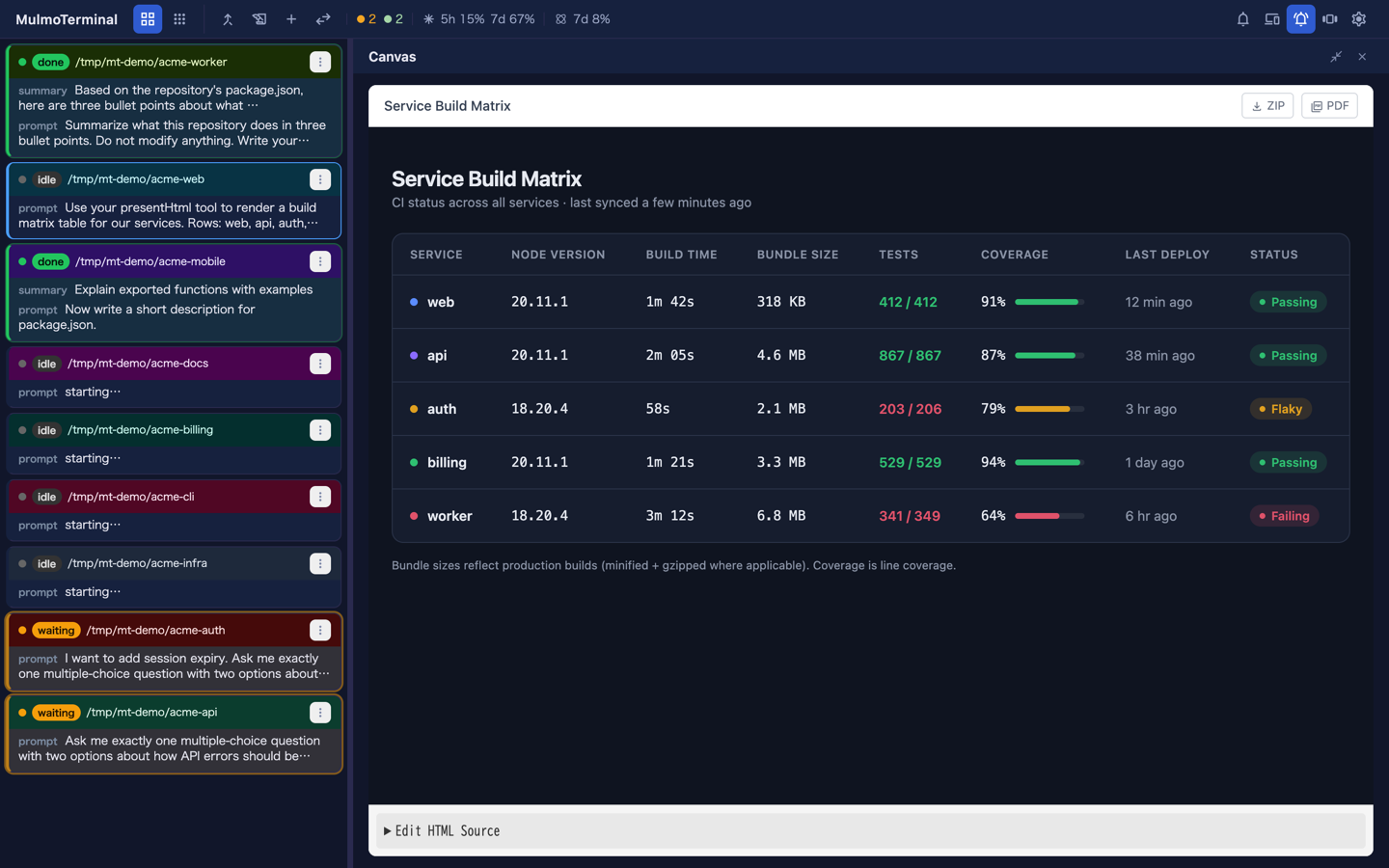
The Tools pane has the same pair of buttons in the same position. They share one slot, so learning it once is the point.
What it covers, and what it does not. Only the enlarged terminal. The cockpit roster down the left and the filmstrip along the bottom sit outside that row and stay exactly where they are, so you can still see what the other sessions are doing while a document is open full width. The terminal underneath is not destroyed — it is moved off-screen at full size, so it comes back the shape it was.
It is not remembered, and that is deliberate. Close the pane and open it again and you get the split view, every time. Switch panes, reload the page — always split. A pane that covers the terminal is a surprise on every occasion except the one where you asked for it, and what it hides is the thing you were working on. Which pane was open, and how wide it was in split view, are remembered as before.
The Canvas header also gained a Close at its right end, matching Files and Tools. Its old tools button is gone; the Tools pane still opens from each cell’s own header.
Reference: basics in the living guide.
A new worktree keeps its project’s colours
.mulmoterminal.json is normally gitignored, so git worktree add produced a directory with no configuration in it at all. The cell lost the project’s colours, its name badge, its model and its grid rank — and being unranked, it fell to the end of the sort. Three cells of one project looked like three unrelated ones.
Nothing to switch on. Make a worktree the way you already do — the launcher’s + New worktree, or starting work on an issue — and it arrives configured.
name,theme,colors,fontSize,fontFamily,providerandmodelare copied as written.- The seven chrome colours are rotated 12 degrees further around the hue wheel for each worktree, so a project and its trees read as a gradient rather than as duplicates. Only the hue moves; saturation and lightness carry the contrast a colour was picked for. A grey such as
headerTextColor: "#ffffff"has no hue to rotate and comes through untouched. orderPriorityis the project’s rank + 1, so each tree sits directly after the project it was cut from.
Three keys are deliberately not carried: sound, sounds and addDirs. They name paths inside the project directory that the worktree has no copy of, and addDirs resolves relative to whichever directory holds the file — copying it would quietly grant a different set of folders.
If you already have a config in a worktree, it is never overwritten. And the file is only written where git would ignore it: an untracked file in a worktree’s git status is not merely untidy, since MulmoTerminal refuses to remove a dirty worktree — the app would have blocked its own cleanup over a file it wrote itself.
Reference: scenarios in the living guide, and the mulmoterminal-dirs skill for setting a project’s colours in the first place.
A finished turn is green everywhere
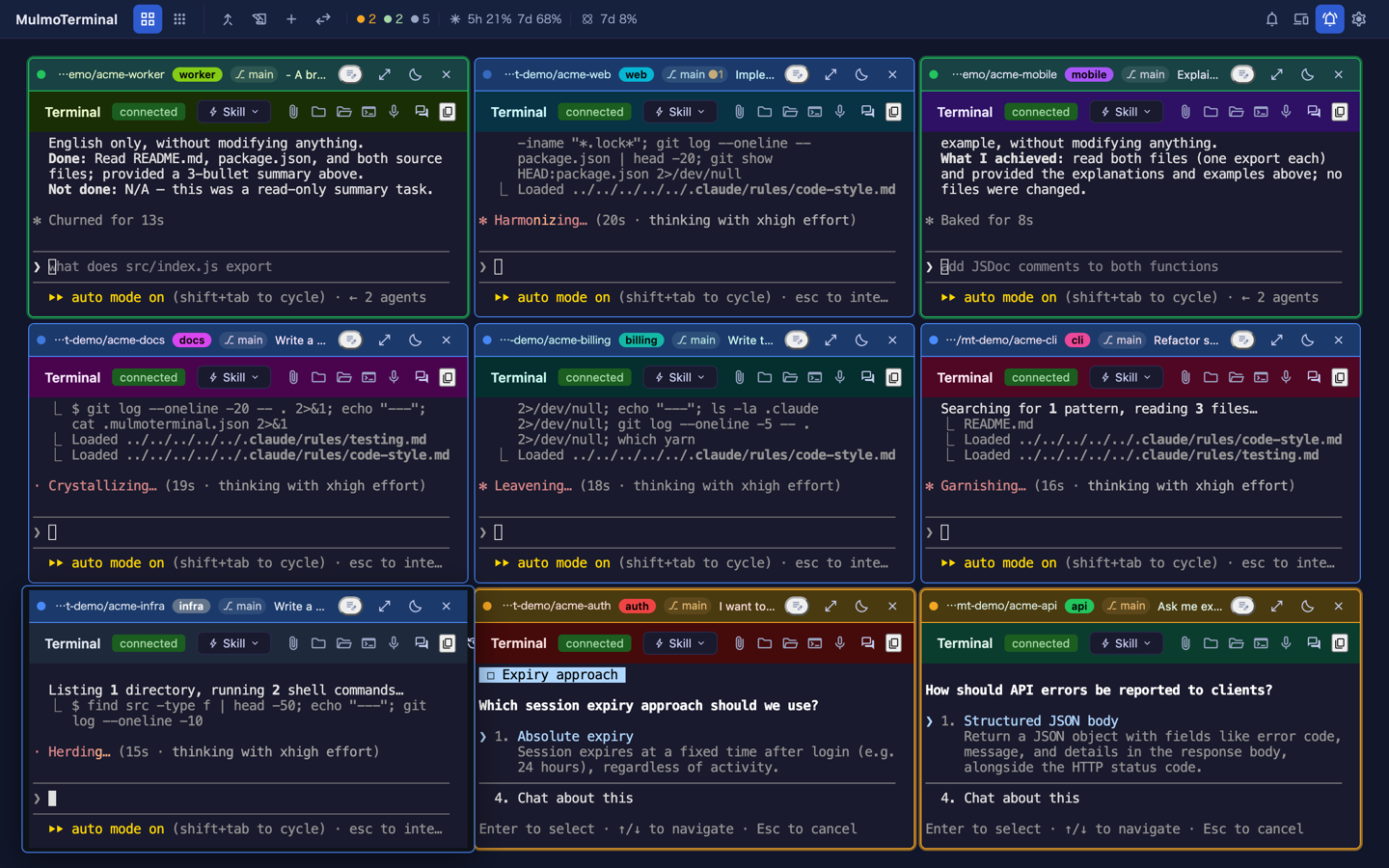
The four attention states are painted in two places — a grid tile paints its own chrome, a cockpit roster row paints its own — and they disagreed about one of them. done was the theme accent on a tile and green on a roster row.
That cost twice. working is also the accent, so on a tile the two blues were hard to tell apart at the distance you actually scan a grid from; and enlarging a session changed the colour of “this one finished” under you.
It is now working = blue, done = green, waiting = amber, in every view. Nothing to configure — open the grid and the change is the thing you see. The roster is unchanged: its green is what everything else moved to.
Reference: basics in the living guide.
A terminal that stops taking input
Two different faults look identical from your chair: you type, and nothing happens.
The first repairs itself now. xterm has an open bug where a resize can jam the write queue permanently — keystrokes still reach the shell, but nothing that comes back is ever drawn. The repair already existed, but it could only be triggered by a resize or by an incoming output frame, and an idle cell gets neither. The cell most in need of repair was the one least able to ask for it. Typing is now a third trigger, so the cell you are sitting in front of, typing into, fixes itself.
The second explains itself now. A keystroke sent while the socket is down — during reconnect, or after the session was superseded — used to be discarded without a word. A banner now says so. It reappears if the outage continues past the banner’s lifetime, which matters because reconnection retries indefinitely: a single disconnection can last hours, and the old banner spoke only once.
This also reaches the header buttons and the Skill menu, which previously did nothing at all when pressed during an outage, and said nothing about why.
How to tell you have the fix. Stop the server while a session is open and press a header button. You should get a banner saying what you sent was dropped — not silence.
Reference: FAQ in the living guide.
Everything else
No action required for any of it, but it is what most of the release is.
gui-chat-protocol2.0.0 and the@mulmoclaude/*plugin set that goes with it.- 407 unsafe-
anyfindings are gone and the rules that forbid them are errors, so they cannot come back.noUncheckedIndexedAccessis on. Theasban now reaches Vue templates, where it had never once fired despite being configured. yarn typechecknow checks the whole repository. It had been looking at two of the five projects — server and test were never checked at all.- The test suite got faster and steadier: 153 server specs no longer stand up a browser environment they do not use, and the first test in a file no longer pays for loading the module under test.
The full detail, per pull request, is in the changelog.