What changed in 2.4.0
As of 2026-07-28. This page is a snapshot taken at release. For anything that changes later, follow the links to the living guide.
- If reloading the page gave you “Not Found”, that is fixed
- Reaching the app from another machine
- A clicked file path opens beside the terminal
- The pane remembers your file across a reload
- Directory colours on the new-terminal chips
- Seeing what a
.mulmoterminal.jsonactually does - Fixes
If reloading the page gave you “Not Found”, that is fixed
Read this one first if you run MulmoTerminal with npx. Every npx user was hitting it.
Starting up worked, but the router rewrites the URL to /terminals — and reloading that tab answered 404 Not Found. The only way back was editing the URL by hand. Worse, the move that triggers it is the one you make when something seems wrong: restart the server, then reload the open tab to reconnect.
How to tell you have the fix. Open MulmoTerminal, wait for the URL to become …/terminals, and reload. You should get the grid, not “Not Found”.
Nothing to configure. It never affected yarn dev, or a global install whose path had no dot directory in it — which is why it survived so long undetected. Thanks to @ystknsh for the report and the diagnosis.
The same defect was found in one more place while fixing it: a custom attention sound kept under a dot directory (~/.mulmoterminal/chime.mp3 being the obvious spot) never played. That works now too.
Reaching the app from another machine
If you bind MulmoTerminal to a non-loopback address, the page now attaches its terminals instead of loading and then failing.
Naming the address does both jobs at once:
MULMOTERMINAL_HOST=192.168.11.6 npx mulmoterminal@latest
Then open http://192.168.11.6:34567 from the other machine.
A wildcard bind cannot infer what you will type, so say it separately:
MULMOTERMINAL_HOST=0.0.0.0 MULMOTERMINAL_ALLOWED_ORIGINS=nuc.local npx mulmoterminal@latest
MULMOTERMINAL_ALLOWED_ORIGINS takes a comma-separated list. localhost and 127.0.0.1 are always allowed and never need listing.
This opens the app to whoever can reach that address — every terminal, with your agent’s permissions. Bind to a LAN address on a network you trust, or keep the default loopback and use SSH port forwarding. The server prints a security line at startup saying what it did.
A clicked file path opens beside the terminal
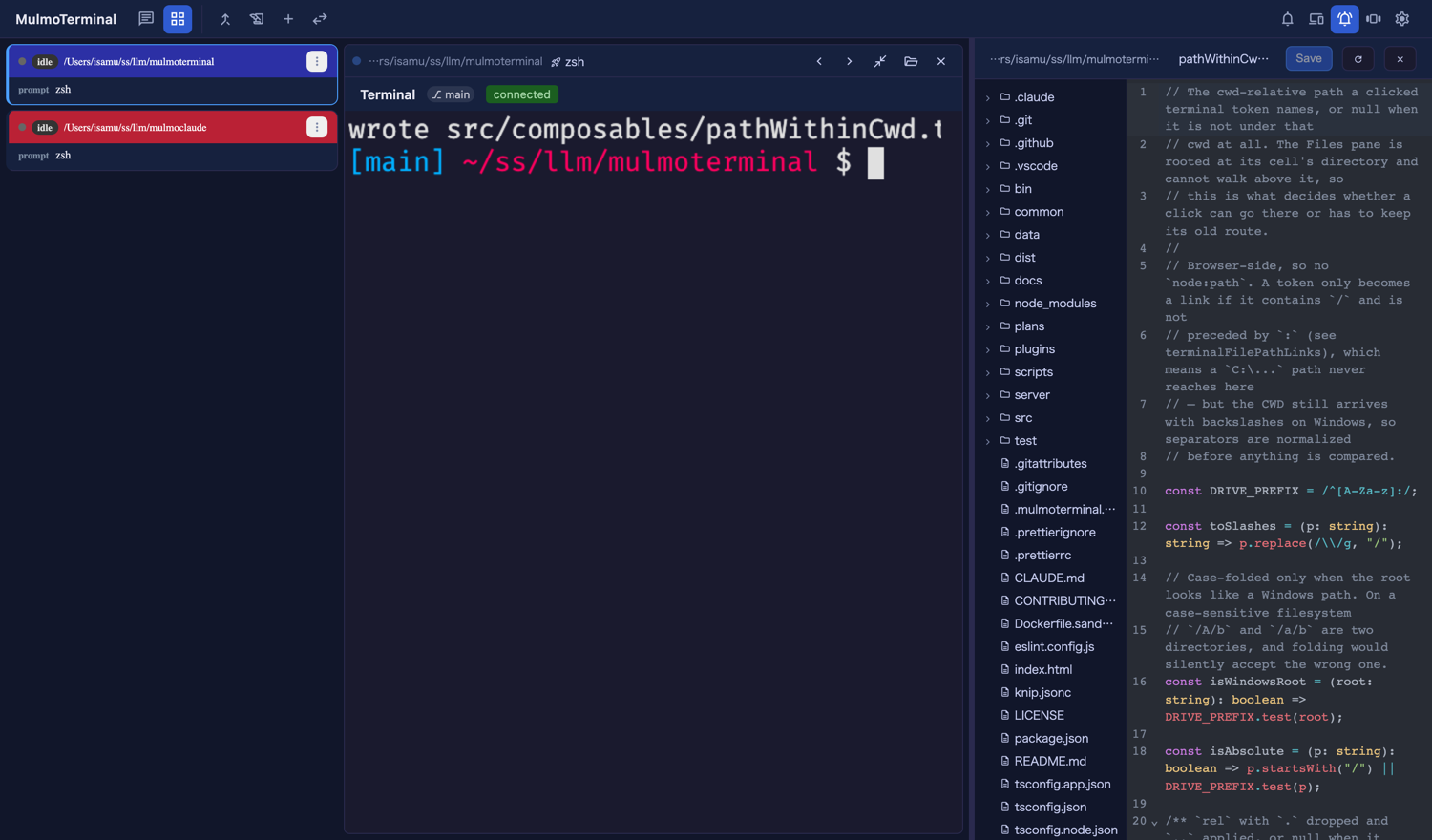
While a grid cell is enlarged, clicking a file path an agent printed now opens it in the file pane on the right — next to the terminal that printed it, instead of taking over the screen or opening a browser tab.
Try it. Enlarge a cell (⤢), then click any path in the output that has a / in it. The pane opens itself if it was closed.
It covers everything the pane can render — source, .txt, Markdown (with the preview toggle), JSON, CSV. Images, PDFs and video still open in a browser tab, which shows them better than an editor would. A path outside that cell’s own directory also keeps its old route, since the pane cannot look above its root.
Un-enlarged, nothing changed.
A path needs a
/to become a link at all —README.mdon its own is not clickable, butdocs/README.mdis. That has always been true and is not new here.
The pane remembers your file across a reload
Reload the page and the file pane comes back with the file you had open and the directories you had expanded, instead of an empty tree. Whether the pane is open and how wide it is were already remembered; now the contents are too.
Two terminals in the same repository stay independent — the remembered state is handed out once, to the first cell that asks for that directory, and after that each cell keeps its own.
Directory colours on the new-terminal chips
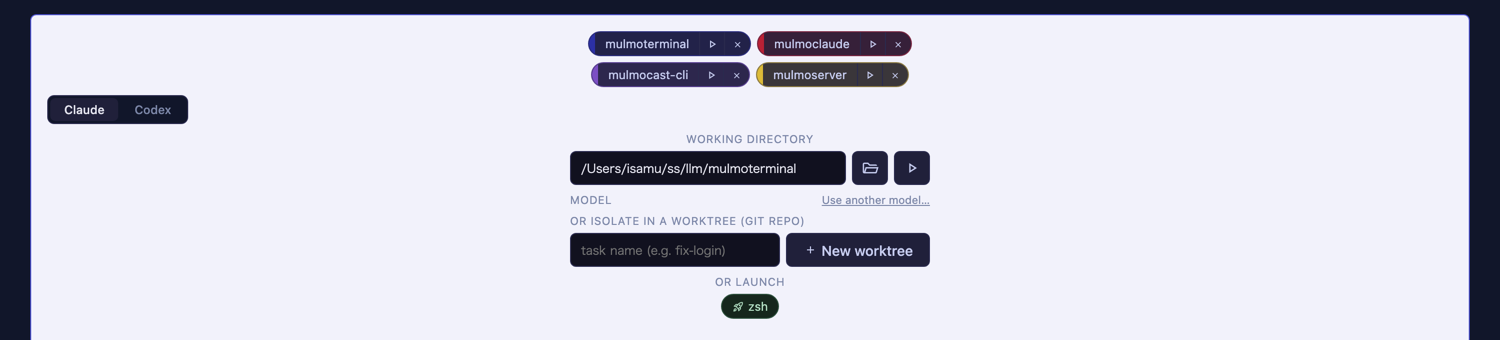
The directory chips on the new-terminal screen now carry a 3px stripe in that directory’s configured colour, so you can pick the right project by colour rather than by reading paths.
Nothing to set up beyond the colours you may already have in .mulmoterminal.json — a directory with no colour looks exactly as before. See Directory settings for how to set one.
Seeing what a .mulmoterminal.json actually does
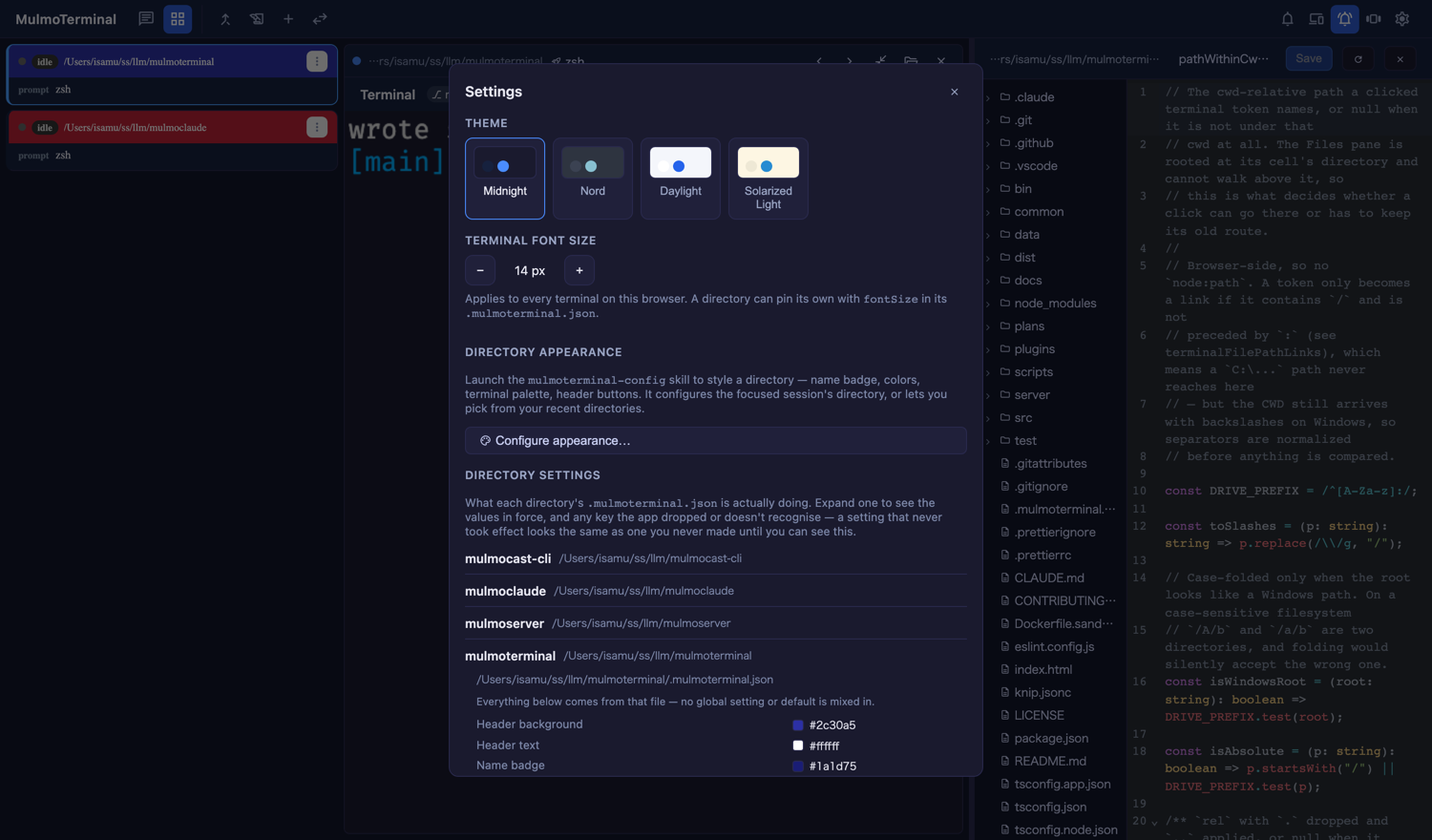
Settings now has a Directory settings section. Open a row and it shows, for that directory:
- the values in effect, colours with a swatch
- which file each value came from
- keys that were thrown away in validation — a colour that is not
#rrggbb, a size out of range - keys this app never reads at all —
badgeColourand other near-misses, or global-only settings
Read-only: it explains, it does not edit. Writing is still the mulmoterminal-config skill.
This is the place to look when a setting “isn’t working” — the answer is usually one of the last two lists.
Fixes
NODE_ENV=productionno longer leaks into your terminals. The launcher was exporting it to every session, and yarn v1 reads it — soyarn installskipped devDependencies and reported success. If you have hit mysteriously missing dev tooling undernpx, this was why. ANODE_ENVyou export yourself still passes through untouched.
The living reference is the guide; this page is only what changed on 2026-07-28. For what changed and why, see the changelog.