3.0.0 — start from the issue
A snapshot of 3.0.0 as released on 2026-07-31. It will go out of date as the app moves on; that is fine and expected. For the reference that is kept current, follow the links to the living guide in each section.
Until now the PRs & Issues view was somewhere to read. In 3.0.0 it is somewhere to start: one button on an issue row cuts a worktree for it and opens Claude there with the issue waiting in the input box.
Nothing about your existing setup changes. No config key is required, no CLI flag moved, and everything you already had keeps working. Upgrade and the button is simply there.
What you need first
Two things, both of which you may already have.
- The repo has to be listed in Settings → Pull request repos (
prRepos), or its issues do not appear at all. → GitHub integration - You need a local clone of it, registered as a directory preset. That is what the button starts the work in. If there is no clone, the button is disabled and says so — that is the app telling you the truth rather than failing on click.
You also need gh auth login on the machine running the server, which the issue list already needed.
Doing it
- Open Pull requests in the toolbar.
- Find the issue in the Issues section.
- Press the ▶ at the end of its row.
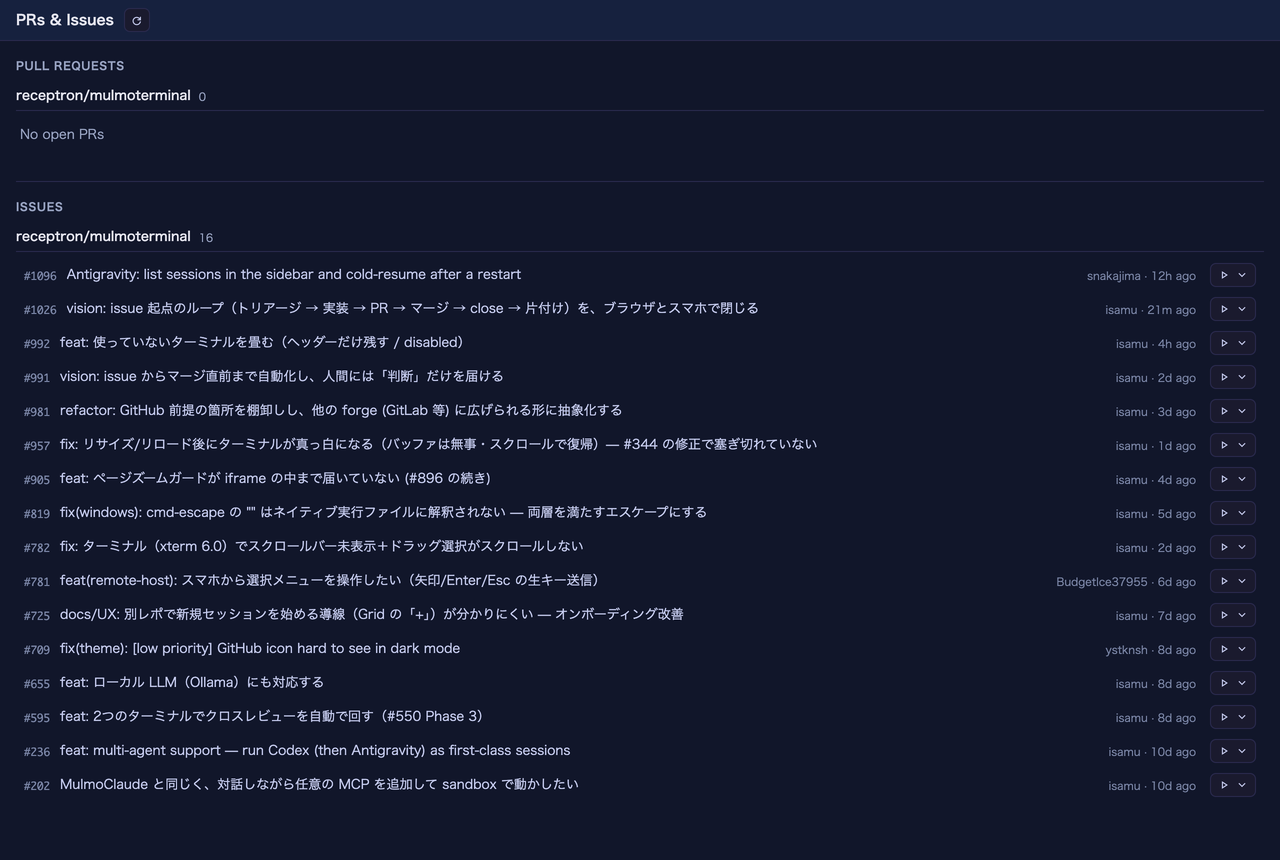
Every issue row ends in ▶. The rest of the view is unchanged — the row itself still opens the issue on GitHub, so the button sits beside the link rather than replacing it.
That does all of this:
- reads the issue (title and body),
- creates a worktree on a branch named
issue/<number>-<slug>, forked from a freshly fetchedorigin/<base>, - opens Claude in that worktree as a grid cell, with the issue typed into the input box.
It is not sent. You read it, edit it if you want, and press Enter yourself. The body was written by whoever opened the issue — usually not you — so the Enter is deliberately yours.
The first time in a new worktree, Claude asks whether it trusts the folder
That is Claude Code’s own check, and a worktree the app just created is a directory it has never seen. Answer 1. Yes, I trust this folder; the issue then appears in the input box a moment later. The app waits for you rather than typing into the dialog.
If you keep several clones of one repo side by side
The button asks which clone the first time, and remembers your answer. After that it is one click for every issue in that repo.
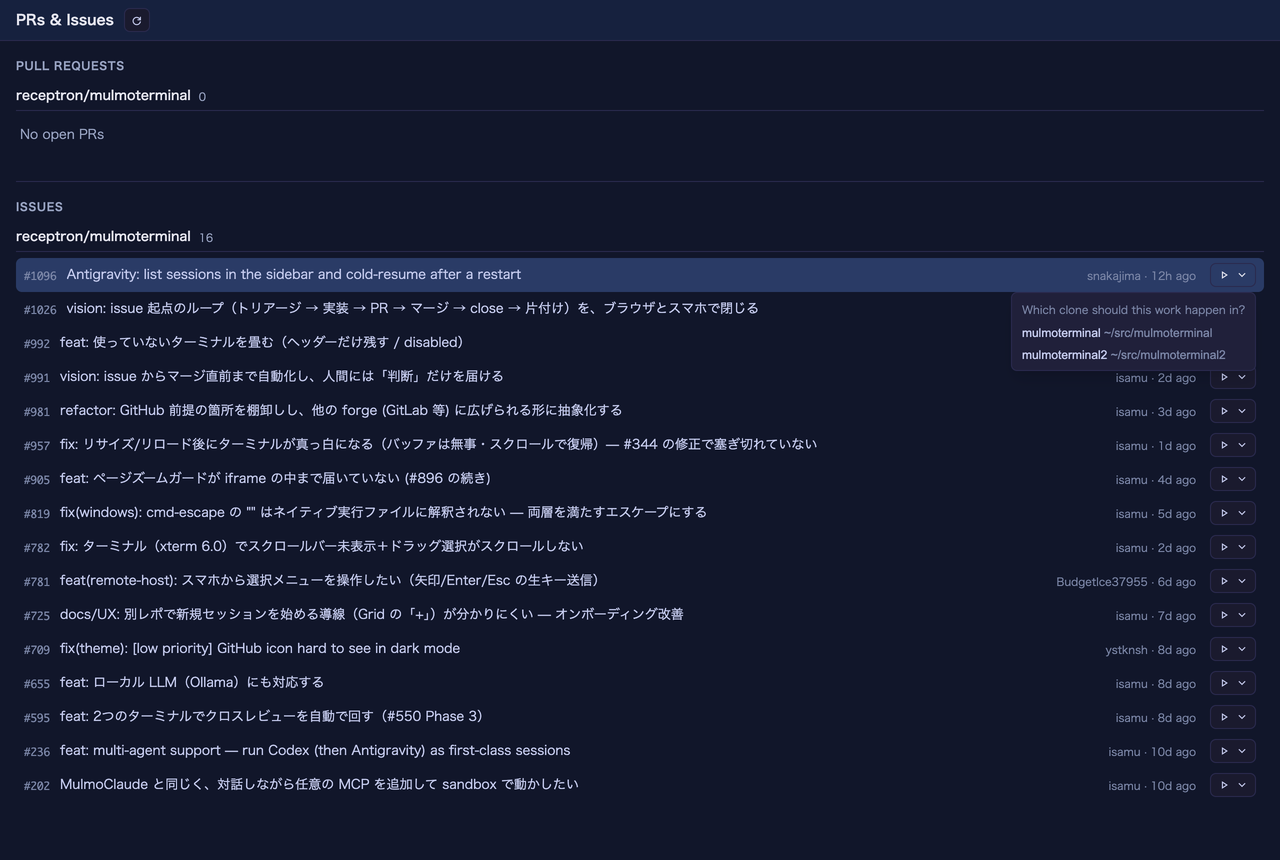
Asked once per repo. The clones are listed by the order each one declares, and the answer is remembered — so this appears for the first issue you start in a repo and not again.
The choice is stored as repoDirs in ~/.mulmoterminal/config.json → Configuration, and you never have to write it by hand.
The clones are offered in the order each one declares as orderPriority in its .mulmoterminal.json, then by path — the same order the launcher’s directory chips use.
How to tell it worked
- The cell’s header shows the branch chip reading
⎇ issue/<number>-…. - Its ⧉ Open PR button now writes
Fixes #<number>into the PR body, so merging the PR closes the issue. You do not have to remember to add it. - Because the number is in the branch name, the header’s work-item chip finds the issue without guessing at it.
Worth turning on now
Issue work comments (issueWorkComments, off by default) got noticeably more useful in this release. It makes a cell comment on the issue when work starts and again when its PR merges — and it can close the issue on merge. It used to depend on the app happening to work out which issue a branch belonged to; now the branch carries the number, so it connects every time. → GitHub integration
It writes to GitHub, on issues that are often somebody else’s, so it stays opt-in.
Also in 3.0.0
Park a terminal you do not need to watch. The moon button in a cell header dims it — in the tiles, the filmstrip thumbnails and the cockpit roster — and stops the working dot pulsing. The session, its connection and its history are untouched, and it survives a reload. Typing into the terminal wakes it; enlarging it does not, because enlarging is how you read a cell without waking it. A cell waiting for permission never parks, and a parked cell that finishes its turn stays parked.
The workaround before this was /clear in the cell you wanted to quiet, which reset the conversation to change how the cell looked.
Two fixes worth knowing about:
- An enlarged cell could render at the width it had while parked, with its terminal frozen at the old size until you reloaded. Fixed — no action needed.
- In the cockpit roster, hovering a
donerow turned its background pure white and the green state colour vanished. It now keeps its colour in every theme.
Full detail on every change, including the ones with nothing to configure, is in the changelog.