What changed in 2.5.2
Written on 2026-07-28, as a snapshot of that day. Behaviour moves; this page does not. For the reference that is kept current, follow the links out of each section.
Your own colour scheme, in the theme picker
The headline of this release. Four built-in themes become as many as you like: write a colour scheme into ~/.mulmoterminal/config.json and it appears in Settings → THEME, next to Midnight, Nord, Daylight and Solarized Light. Picking it recolours the whole app — grid background, headers, panels, and the terminals themselves.
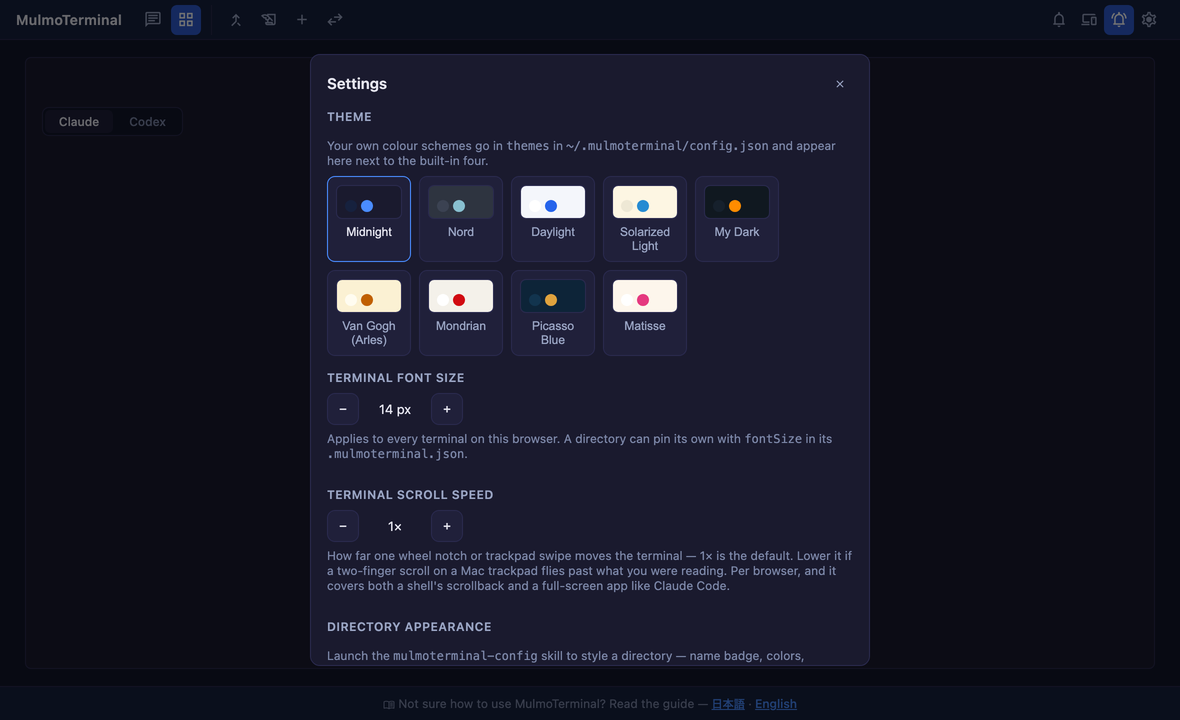
Setting one up, start to finish
1. Open the config file. It is ~/.mulmoterminal/config.json. If you have never edited it, it already exists with your presets in it — add to it rather than replacing it.
2. Add a themes array. The smallest theme that works is four lines:
{
  "themes": [
    {
      "id": "my-dark",
      "label": "My Dark",
      "extends": "midnight",
      "colors": {
        "--bg-base": "#101820",
        "--bg-panel": "#16202c",
        "--accent": "#ff8c00"
      }
    }
  ]
}
id— how the app refers to it. Lowercase, no spaces. This is also what a directory’s.mulmoterminal.jsonwrites if you pin the theme per project.label— what you see in Settings.extends— the built-in it starts from (midnight,nord,daylight,solarized). You override the few tokens you care about; everything else comes from there, so a three-colour theme is a complete theme.colors— the CSS custom properties to change. Names and defaults are listed in the configuration guide.
3. Restart the server. This file is read once at startup. Reloading the browser is not enough.
4. Pick it in Settings. The gear icon in the toolbar → THEME. Your scheme is at the end of the row. The choice is stored per browser, so a phone and a desktop can each sit on a different one.
What a whole scheme looks like
Two of the four samples that ship in the guide, applied:
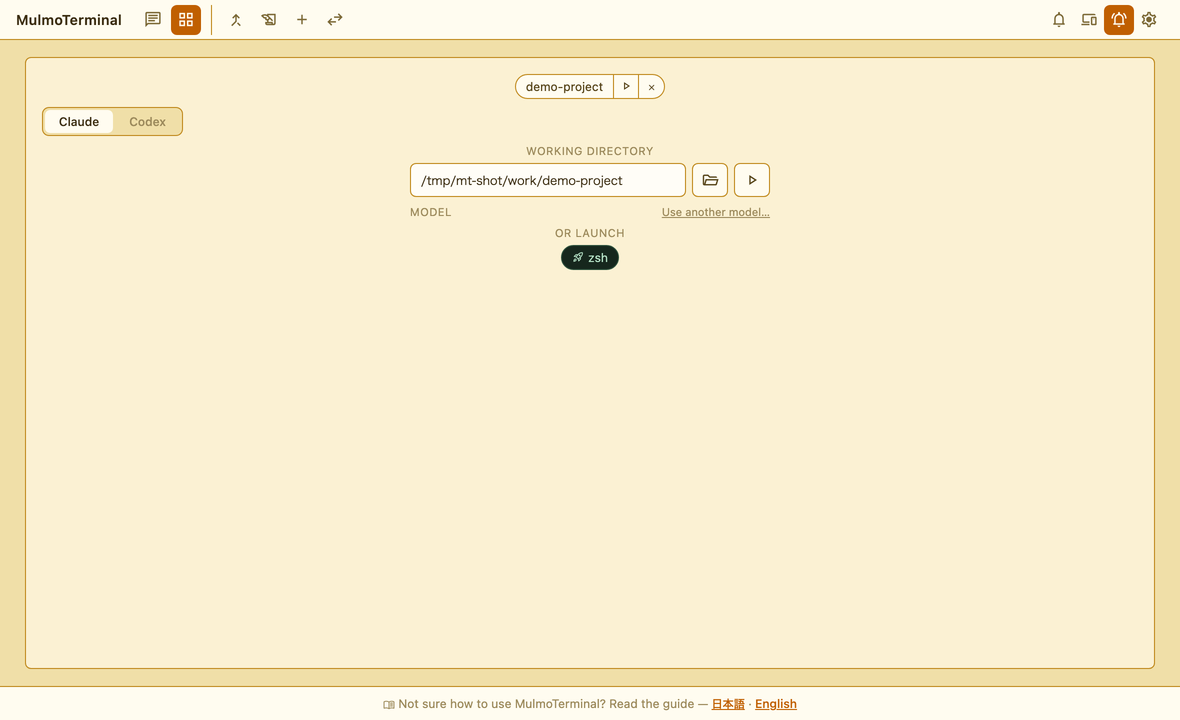
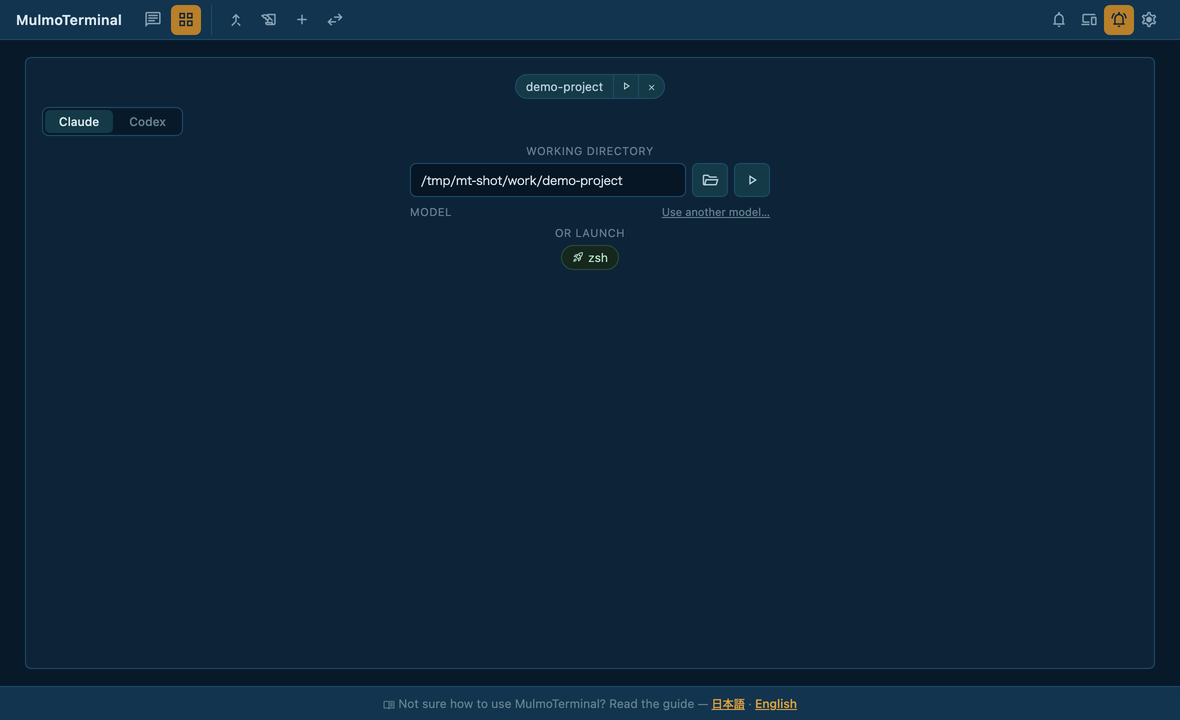
The guide carries four complete schemes — Van Gogh (Arles), Mondrian, Picasso Blue and Matisse — with every token filled in and a note on why each colour is where it is. Paste one into themes and it works as-is; they are also the easiest way to see which token does what.
→ Samples, and how to build your own
Two things that decide whether it reads well
- The ground decides light or dark. The app looks at
--bg-baseand switches the status pills (done / waiting / error) between their light and dark forms. A pale ground with dark-theme pills is the one combination that comes out unreadable, and it is handled for you — but it means--bg-baseis the token to get right first. - Take the accent from the ground’s complement. An accent close to the ground sinks into it, and links and selection outlines disappear. That is why the Van Gogh sample puts orange on wheat yellow and keeps blue for selection.
If your theme does not appear
- The file is read at startup — restart the server.
- A theme with a broken colour value is dropped rather than half-applied. Settings → DIRECTORY SETTINGS shows what the app actually accepted.
- Selecting a theme that no longer exists (you renamed the
id) leaves a note in Settings naming the missing id, instead of silently falling back.
Reference: Make your own colour scheme
A decision log for the workspace
Sessions now record the decisions they make into a log in the workspace, so the reasoning behind a change survives the terminal it was made in. Nothing to configure.
Reference: Feature list
Also in this release
- The Windows CI suite is green again: three specs assumed POSIX-shaped paths and a Unix-shaped
HOME, which no user ever saw but which had been hiding real Windows coverage. - The
#782notes were corrected — the canvas renderer had been written up as the suspect for a scrollbar/selection problem that turned out to be tmux’s.