4.16.0 — Decks in an ordinary repository
A snapshot as of 4.16.0 (released 2026-09-03). It will go stale as the app moves on — that is expected, and the living reference is the guide each section links to.
npx mulmoterminal@latest
Nothing here needs configuring. The one thing it asks of you is a restart, and this page says why.
Your other repositories can show their decks now
4.15.0 gave you two ways to open a mulmoScript deck — right-clicking a row in the file tree, and the ⊞ Mulmo header menu. Both only worked under the workspace MulmoTerminal was started in. A deck in any other repository was found and then correctly refused: the app could see it and could not serve it.
Now every directory your launcher has saved is a place decks can be served from, registered alongside the workspace when the app starts.
There is nothing to turn on. A directory qualifies by being one you already launch cells in — the launcher records those the first time you use them.
It takes a restart, and that is deliberate
The list is read once, at startup. A repository you open for the very first time will not show its decks until you restart MulmoTerminal.
That is a real cost and it was chosen over the alternative. Registering a directory later means rebuilding the plugin’s server ops, and that one object also holds the in-flight movie and PDF generation state — so a cell opened while a video was rendering would have thrown that away. Restarting is the cheaper price.
How to tell you have it: open a cell in a repository outside your workspace that has a deck — either in artifacts/stories/ under your workspace, or one you named with decks in that project’s .mulmoterminal.json — and look for ⊞ Mulmo beside ⚡ Skill in the cell header. On 4.15.0 that button was simply absent there.
The reference is the decks key.
The Tools pane tells you what to do about an empty list
Opening Tools in a cell with no GUI tools used to say No GUI plugin tools enabled. and stop — the one fact you could already see.
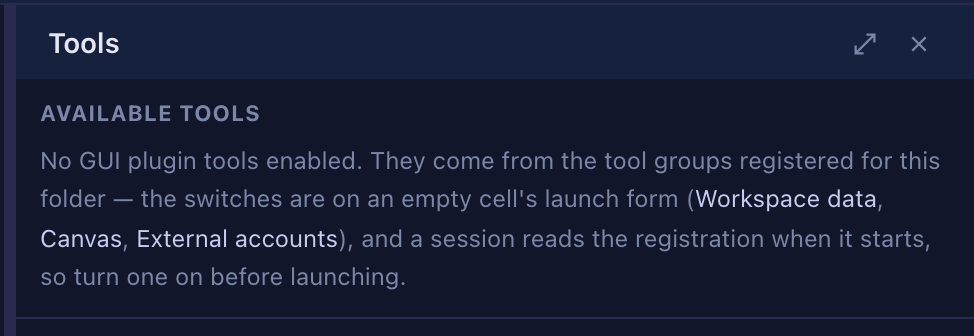
It now names where they come from: the tool groups registered for that folder, whose switches are on an empty cell’s launch form — so they are not on screen while a session runs, and a session reads the registration when it starts. Both halves matter; either alone sends you looking for a control that is not there.
And it no longer claims things it does not know. An empty list from a failed request, from a response it could not read, or from a request still in flight is no longer reported as a confirmed empty configuration — so the pane will not send you off to reconfigure a folder that is fine.
Switching cells no longer shows the previous cell’s tools, or its “this agent reports no hooks” note, while the new one is still being asked.
For anyone writing a shared app with the skill
The mulmoterminal-shared-app skill used to stop when a cell had no collection tools and point you at the launcher’s tool-group switch — which is hard to find if you have never seen it. It now gives the agent the command that switch runs, so the agent registers the group itself and the only thing left for you is closing and reopening the cell.
Fixes worth knowing you have
- A collection’s custom view could 404 in the Canvas when the collection was authored through staging. Two halves: this server’s own workspace was not recognised as a staged one, and staged-ness is now decided per collection rather than per directory — so a stale staged view can no longer win over a committed one in a collection you imported.
Where the reference lives
This page is a snapshot; the guide is the part that stays current. The decks key · Every key in the config file · What MulmoTerminal does · Header buttons