4.8.3 — Answering a question, at the desk and on the phone
A snapshot of 4.8.3 as released on 2026-08-14. It will go out of date as the app moves on; that is fine and expected. For the reference that is kept current, follow the links to the living guide in each section.
npx mulmoterminal@latest
One thing to turn on, and one that is already on. The question pane beside the terminal is a config edit or a checkbox — do that first. Answering from your phone needs nothing configured at all; it is there the next time you open a session that is asking something.
The pane beside the terminal
Before. A Claude session that stopped on a question drew its dialog in the terminal, and the arrow keys were the only way to answer it.
Now. The same choices can also appear as buttons beside the enlarged terminal.
Open Settings → Terminal keys and tick Question pane. It applies at once — the server re-reads the file per question, so nothing needs restarting.
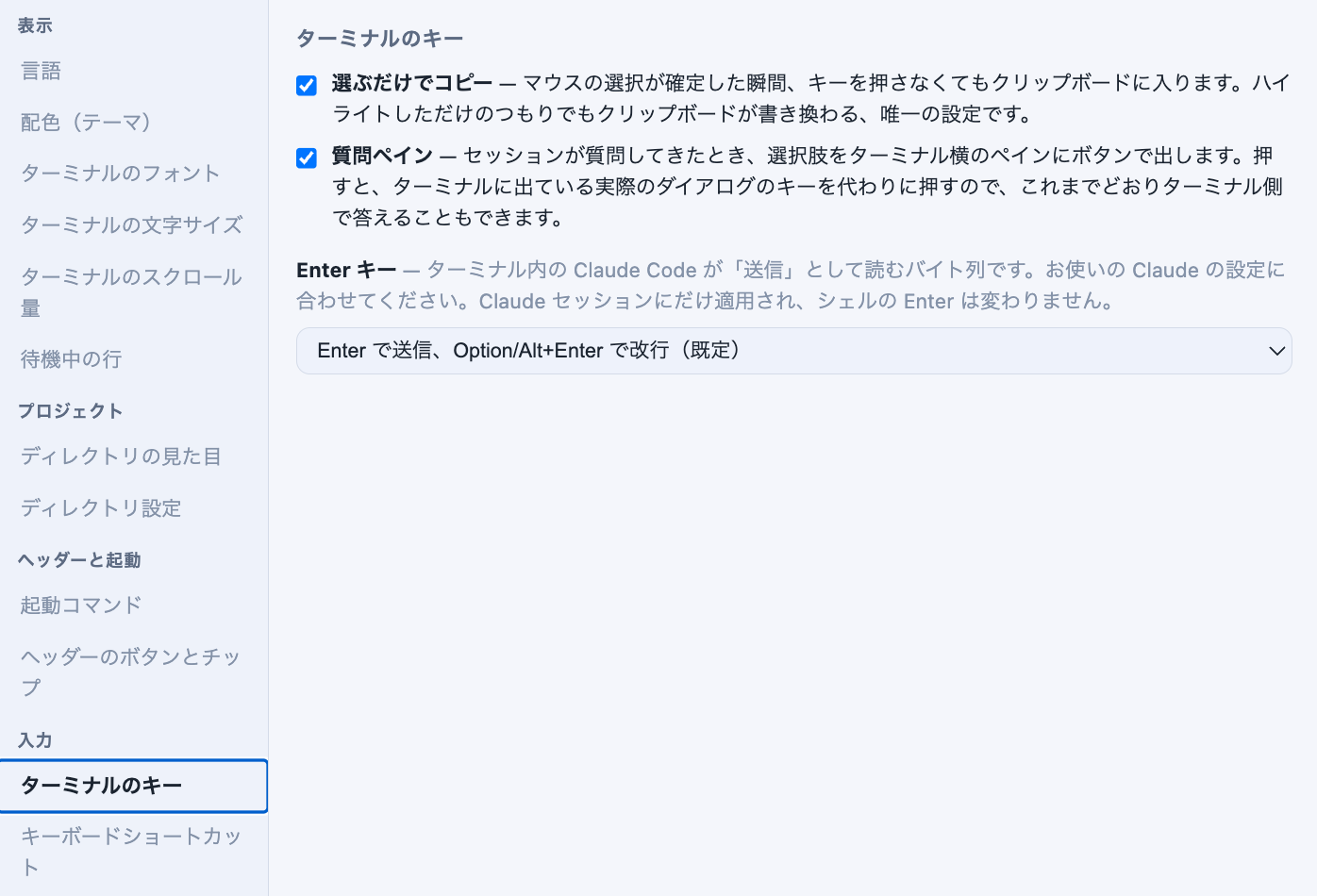
Setting up a machine with no browser in front of you? The same switch is one key in ~/.mulmoterminal/config.json:
{ "questionPaneEnabled": true }
How to tell it worked. Tell a Claude cell to use its question tool — “ask me with AskUserQuestion whether I prefer red or blue” is enough — and enlarge that cell. The pane opens by itself, beside a terminal that still shows the real dialog.
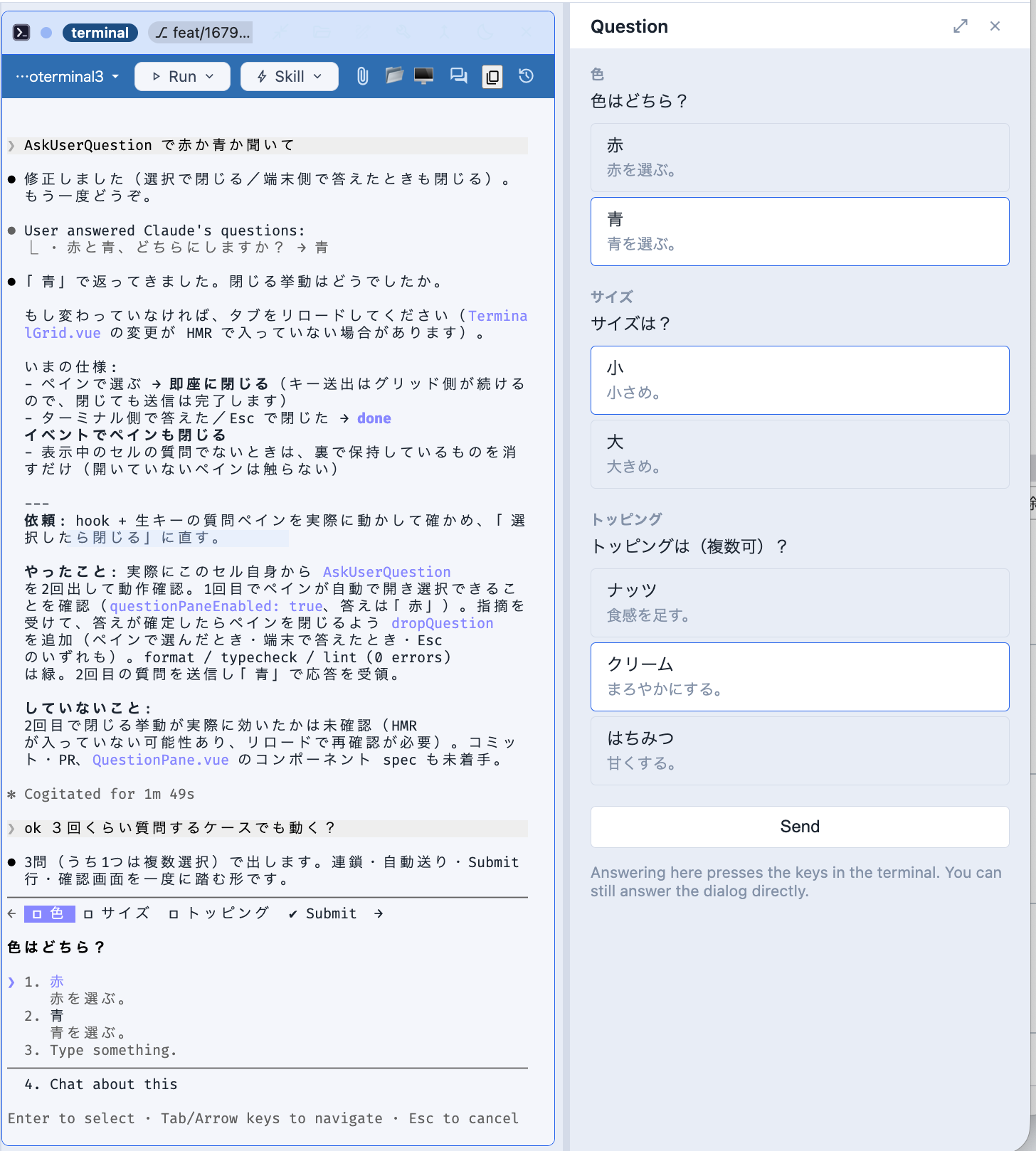
The dialog does not go away, and the pane does not replace it — a button press puts the arrow keys and Enter into the real dialog. Answer at either end; the first one wins.
None of the options fits? A dialog that asks one question and takes one answer also gets a text box, under the buttons. What you write becomes the answer, exactly as typing it into the dialog’s own Type something row would. Several questions at once, or a multi-select one, get buttons only.
Off unless you ask for it, because it lets a pane type into the terminal you are sitting at. Reference: answering a question from the pane.
From your phone, with nothing to turn on
The question also arrives on the phone, as a card under the screen.
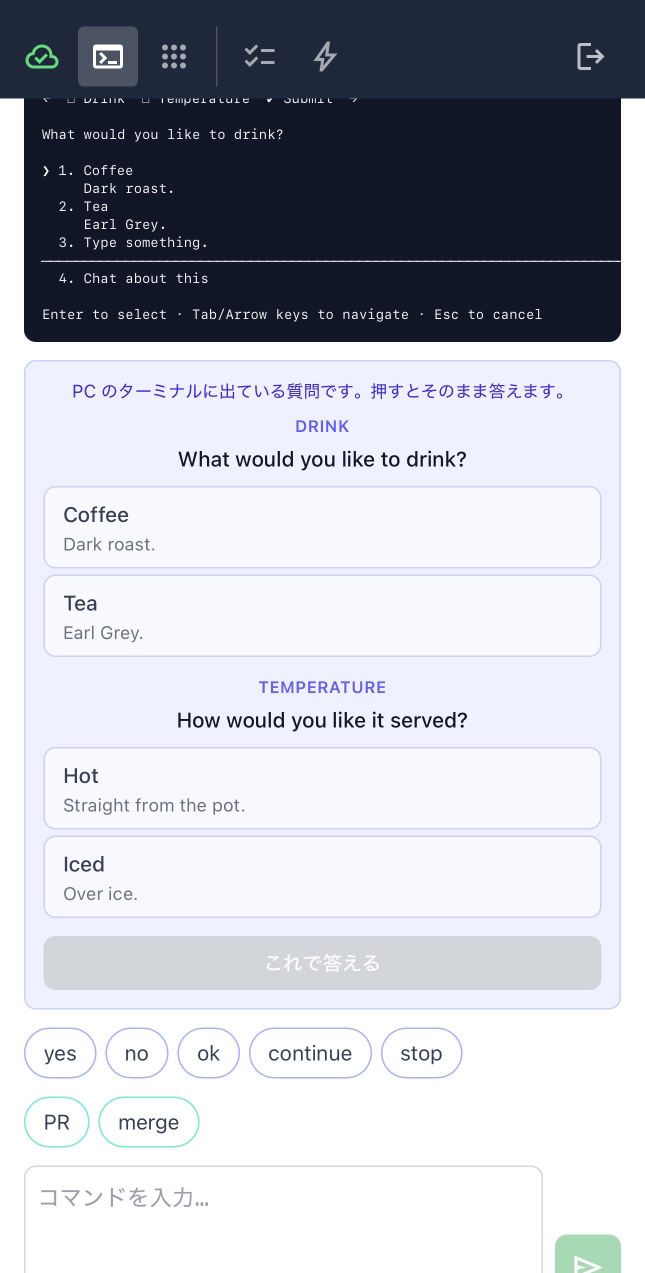
There is no setting for this, and questionPaneEnabled does not gate it. That switch is about a panel typing into the terminal you are sitting at. On a phone nobody is at that keyboard — and with no arrow keys, the card is the only way to answer at all.
How to tell you have it. Open a session on the phone that is stopped on a question. If the card does not appear, reload the page: the phone app is served fresh, but a tab left open since before the release is still running the old one.
What the phone sends. Not keys, and not bytes — the option numbers. The host holds the question Claude declared, and builds the keystrokes itself, so a remote client cannot put a control byte into your terminal. The same one-question rule applies to answering in your own words.
If an answer is refused, the phone says why in words you can act on: the dialog was answered somewhere else already, the session has no live terminal behind it (it outlived a restart), or the keys only partly reached the terminal and it has to be finished there.
Reference: a question Claude asked.
Also in this release
- Someone who booked can take their own booking back. A shared app can declare
selfDelete, and the visitor who created a row can withdraw it; the collection it belongs to reopens. It is a different act from the owner’s cancel, and worded differently. - Fixes. A lint summary drew a block for a count of zero. Tests reaching the server each started their own listener, which could land a request on the wrong one.
The full list, with the reasoning behind each change, is in the changelog.